Best text expander apps for iPhone and iPad (2026)
Text expander apps save you from retyping the same replies, templates, and contact details over and over. Here is how the top options, including TextExpander alternatives, compare on iPhone and iPad, where the experience is very different from desktop.
Reviewed by Stuart Hall, who runs Bytesize Apps, a one-person iOS studio based in Perth, Australia, and built WordBoard. WordBoard has been featured as an Apple Best New App and covered by TechCrunch, and holds a 4.9 rating across more than 5,400 App Store reviews. For this comparison, WordBoard's entry reflects real day-to-day use of the app; TextExpander, Apple Text Replacement, and Apple Shortcuts were verified against their official App Store listings and Apple's own support documentation.
Quick verdict
WordBoard Pro is the best text expander for iPhone if your workflow is mobile-first. It stores your replies, templates, and snippets as tappable keyboard keys. No abbreviations to memorise, no autocorrect conflicts.
TextExpander is the leading desktop option and now has a new iPhone and iPad keyboard that expands your synced abbreviations. It is the natural pick if your team already lives in TextExpander. If you would rather tap visible keys than remember abbreviations, WordBoard Pro is the better fit on a touchscreen. Apple's own built-in text expander, Text Replacement, covers basic needs at no cost. Apple Shortcuts suits power users who want a fully custom automation approach.
How we evaluated these apps
WordBoard is used daily to run this site, so its section reflects real, hands-on use, including current screenshots of the actual app. For TextExpander, Apple Text Replacement, and Apple Shortcuts, pricing and feature claims below were verified against their official App Store listings and Apple's own support documentation.
We did not install and run every competitor ourselves for this update. Where a claim is based on an app's official App Store listing or its publisher's own documentation rather than direct testing, that is noted in the text rather than implied as hands-on experience.
The four best text expander apps for iPhone
1. WordBoard Pro: best for iPhone-first workflows
WordBoard is a custom keyboard that turns your saved text into labelled keys you can tap in any app. Unlike abbreviation-based expanders, you never need to remember a shortcut code: you see your keys, tap the one you want, and the text appears at the cursor.
- Works in every app that uses the iOS keyboard: Messages, Mail, Slack, CRM apps, browser forms, and more.
- Supports full templates, not just short snippets. A complete email, support response, or follow-up message inserts with one tap.
- Folders for organising keys by client, topic, or workflow.
- No autocorrect conflicts because there are no trigger codes to type.
- Variables for today's date, current time, and clipboard content.
Best for: support teams, sales reps, real estate agents, healthcare staff, and anyone who sends the same replies repeatedly on iPhone.
Pricing: Free to download with 6 keys included. WordBoard Pro, required for unlimited keys, folders, and templates, is $7.99/month or $49.99/year (verified on the current US App Store listing, Aug 25, 2026).
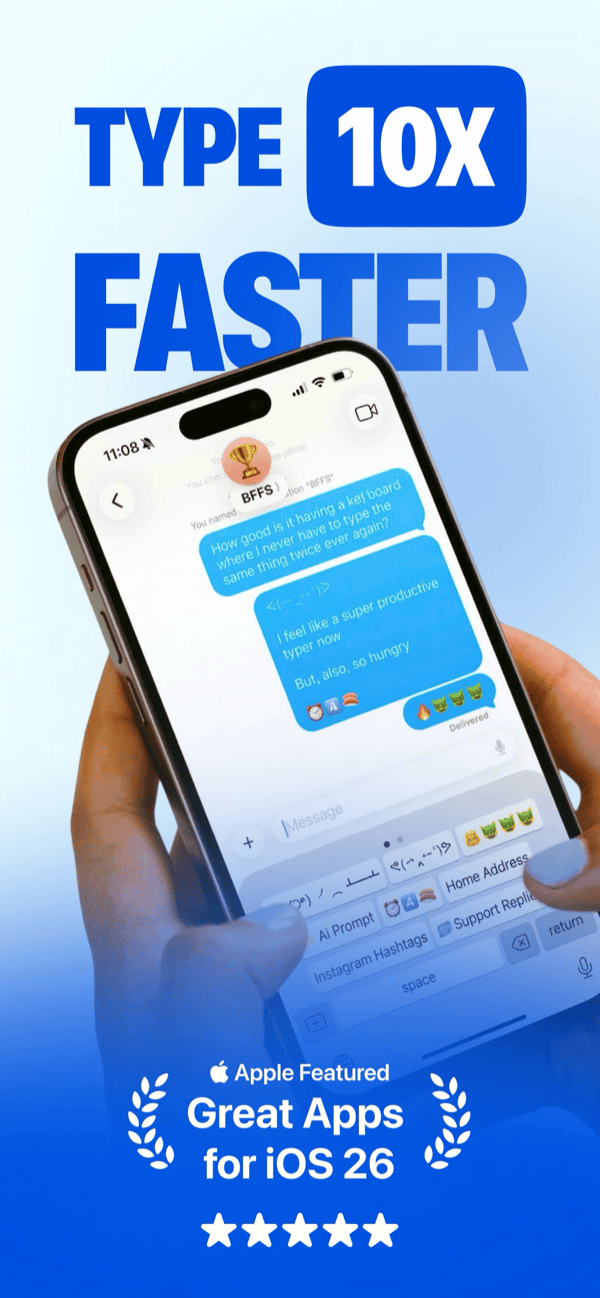 WordBoard's official App Store screenshot, current live listing.
2. TextExpander: best if you already use it on desktop
TextExpander is the most established text expansion tool, built around typed abbreviations that expand into saved text. It has strong Mac and Windows apps, and after retiring its older "TextExpander 4 for iOS" app, it now offers a new TextExpander app for iPhone and iPad. According to its App Store listing, the new app is a custom keyboard that syncs with your TextExpander account, so abbreviations expand as you type in any app, with fill-ins, swipe typing, and emoji support.
- Powerful abbreviation and fill-in template system on desktop.
- Strong Mac and Windows apps with team sharing.
- New iPhone and iPad keyboard that expands the same synced abbreviations.
- Still abbreviation-based on mobile, so you need to remember your triggers and type them on a touchscreen.
Best for: people and teams who already manage snippets in TextExpander on Mac or Windows and want the same abbreviations on iPhone.
Pricing: free plan limited to 5 active snippets. Pro is $6 per user per month or $60 per user per year, and the mobile app is included on every plan (verified on TextExpander's pricing page, Sep 23, 2026). The App Store listing itself is free with no in-app purchases, since plans are billed through a TextExpander account.
3. Apple Text Replacement: best for a few basic shortcuts
Built into iOS, Text Replacement lets you define short abbreviations that expand into longer phrases system-wide. It is the simplest option and costs nothing, but it has real limits: no folders, no templates, no keyboard integration, and it breaks down when you need more than a handful of shortcuts.
- Built in, no install required.
- Works system-wide across all apps.
- Autocorrect can still interfere with trigger phrases.
- No organisation, no templates, limited to short snippets.
Best for: users who only need a small number of simple phrase shortcuts and do not want a third-party app.
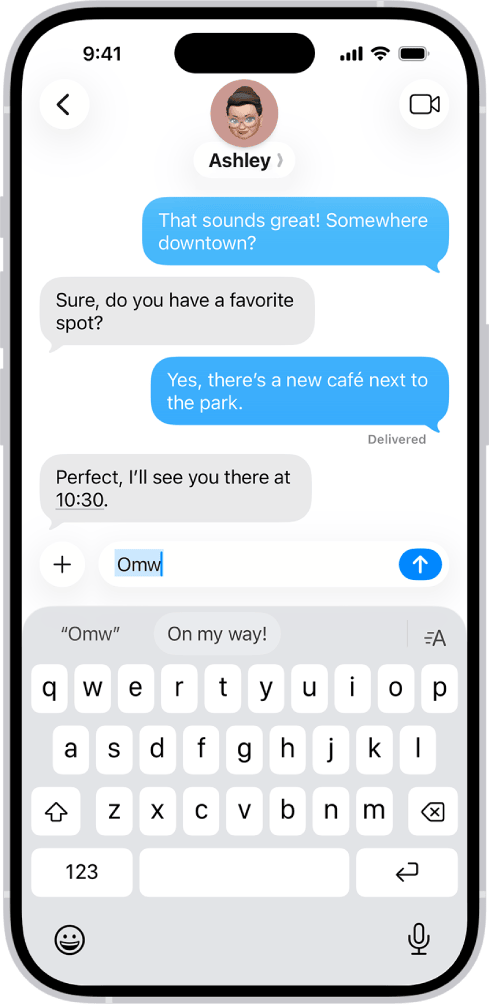 From Apple's own support guide, "Use text replacements on iPhone."
For a deeper look at how it compares, see the WordBoard vs iPhone Text Replacement page.
4. Apple Shortcuts: best for power users who want a custom built solution
Apple Shortcuts is a free automation app built into iOS. With some setup, you can create a shortcut that prompts you to pick from a list of saved phrases and pastes the selected text. It is genuinely powerful but requires you to build and maintain it yourself. There is no keyboard integration, no folders, and no visual keys.
- Free and built into iOS, no extra app required.
- Highly customisable for users comfortable with automation.
- No keyboard integration. You run the shortcut manually and switch back to your app.
- No visual snippet library; you manage everything inside the Shortcuts app.
- Setup time is significant compared to a dedicated keyboard app.
Best for: power users who enjoy building custom iOS automations and only need occasional text insertion, not a high-volume daily workflow.
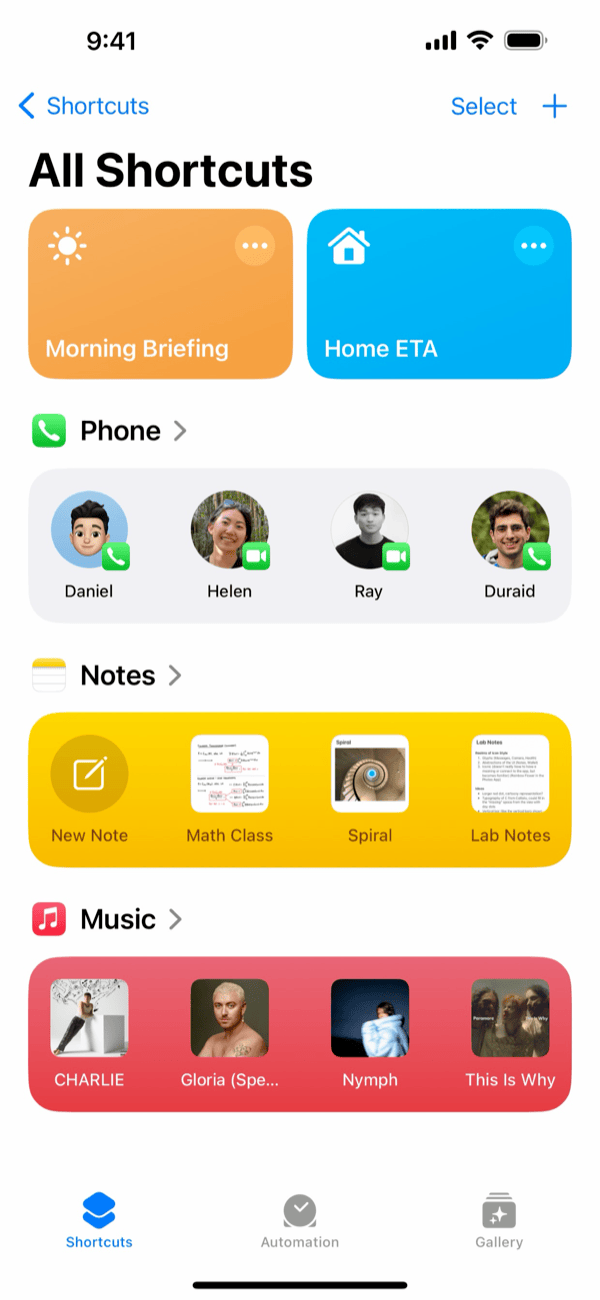 Shortcuts' official App Store screenshot, current live listing.
Comparison table
| App | iPhone experience | How text inserts | Templates | Folders | Pricing |
|---|---|---|---|---|---|
| WordBoard Pro | Native, keyboard-first | Tap a visible key | Yes | Yes | Free (6 keys); Pro $7.99/mo or $49.99/yr |
| TextExpander | Keyboard synced to a TextExpander account | Type an abbreviation | Yes | Yes (groups) | Free (5 snippets); Pro $6/user/mo or $60/user/yr |
| Apple Text Replacement | System-wide, no install | Type an abbreviation | No | No | Free (built-in) |
| Apple Shortcuts | Manual, no keyboard integration | Run a shortcut, select phrase | Custom | Custom | Free (built-in) |
Why abbreviation-based expanders are harder on iPhone
Every app on this list except WordBoard uses the same core mechanic: you type a short abbreviation, and the app replaces it with longer text. This works well on a physical keyboard, where your fingers build muscle memory for codes like ;em or @@addr. On iPhone, three things make it harder:
- Autocorrect interference. iOS autocorrect tries to fix unusual character combinations before the expander can act on them. Short, unusual trigger codes are exactly what autocorrect targets.
- No visual reminder. On desktop you develop muscle memory over weeks of use. On a phone you pick it up and put it down. Recalling the right abbreviation for a snippet you set up months ago takes real mental effort.
- Touchscreen typing friction. Abbreviations require accurate tap sequences on a small keyboard. One wrong character and the expansion does not trigger.
- Keyboard switching friction with any third-party abbreviation app. With an abbreviation keyboard like TextExpander's, you switch to it, type the abbreviation, and sometimes switch back. Apps that sit permanently in your keyboard row avoid that extra step.
WordBoard sidesteps all of this. Your saved text appears as labelled keys you can see and tap. No codes, no autocorrect conflicts, no memory required.
Why iPhone and iPad users switch from TextExpander to WordBoard
Most people who switch aren't doing a feature comparison. They hit a specific moment of friction and look for something better. These are the situations that come up most often:
- Filling out forms and replying to enquiries all day. Sales reps, real estate agents, and support staff who answer the same questions dozens of times find that tapping a visible key is faster than typing an abbreviation they have to recall.
- Sending the same email templates repeatedly. Follow-ups, introductions, and sign-offs that are retyped from scratch every time. WordBoard turns them into one-tap keys so the full email appears at the cursor instantly.
- Typing on iPhone or iPad while away from a desk. TextExpander's abbreviation model is designed around keyboard muscle memory. On a touchscreen with autocorrect active, abbreviations get corrected or mis-typed more often than they expand.
- Sharing snippets across a small team. Customer support and admin teams who want consistent replies without managing a multi-seat subscription.
- Keeping contact details, addresses, and links ready. Rather than copying from Notes or hunting through old messages, these live as tappable keys on the keyboard.
Already have a library of TextExpander snippets? You do not need to retype them. WordBoard Pro can import a TextExpander snippet group directly. See how to import TextExpander snippets into WordBoard.
Which text expander is right for you?
- You type the same replies on iPhone or iPad all day: WordBoard Pro. The tappable key model is faster on a touchscreen than any abbreviation system.
- You already use TextExpander on Mac and want the same abbreviations on iPhone: TextExpander's new iPhone and iPad app. If you would rather tap keys than type abbreviations, import your TextExpander snippets into WordBoard instead.
- You only need three or four shortcuts: Apple Text Replacement. It is free and already installed.
- You enjoy building custom iOS automations: Apple Shortcuts. Free and flexible, but requires setup and has no keyboard integration.
Choosing for a business or remote team instead of yourself? See best text replacement apps for business and remote teams.
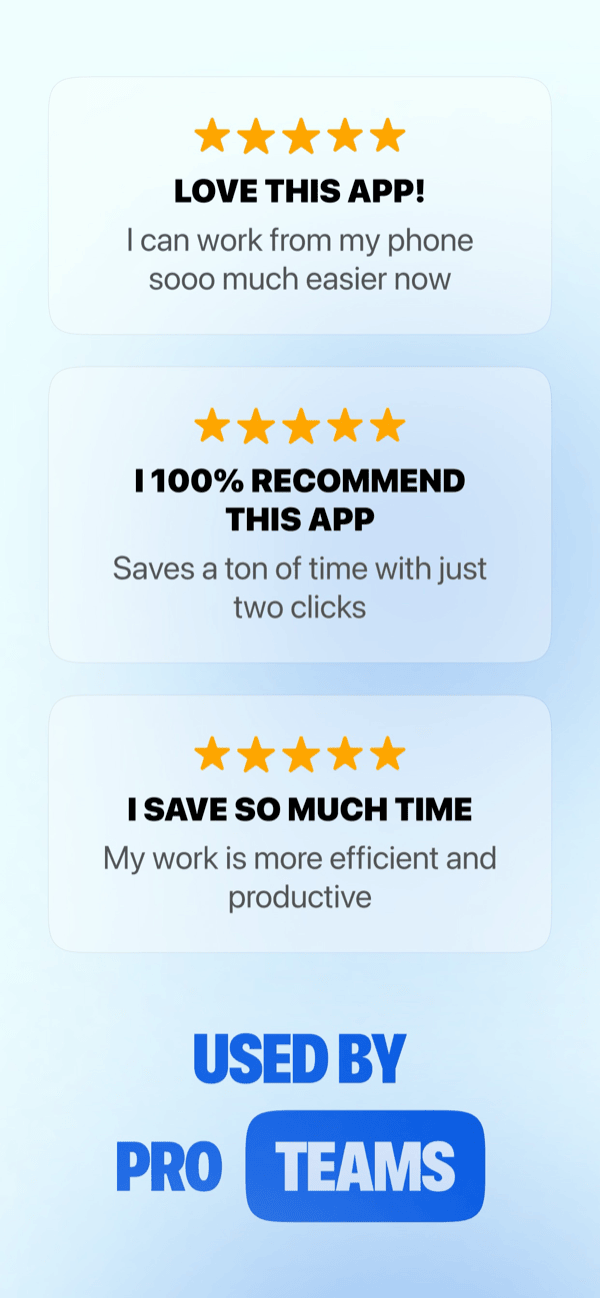
What WordBoard Pro users say
Real, attributed quotes pulled from WordBoard's current App Store reviews, not paraphrased marketing copy:
- "I use the app every day. So easy to set things up and saves so much time typing things you do over and over again. The Folders are a great feature." skipper5315 · USA · ★★★★★
- "This is one of the best apps for productivity while mobile in the real estate sales world. Quickly sending out applications links and instructions." Business leads · USA · ★★★★★
- "I spent a long time looking at the other cheaper apps in this category. WordBoard has been around for a long time and has refined its product to function flawlessly. It is quick with no lag time." Godobey · USA · ★★★★★, titled "A bit pricey, but worth the investment"
- "WordBoard is one of those rare apps that has one job and it performs it flawlessly. I can't begin to quantify the time this app saves me in thumb typing on my iPhone and pasting snippets of often-repeated texts from its Templates feature." Larry.McJ · USA · ★★★★★
 WordBoard's official App Store screenshot, current live listing.
FAQ
What is the best text expander app for iPhone?
WordBoard Pro is the best text expander for iPhone-first workflows. It uses visible, tappable keys instead of typed abbreviations, which is faster on a touchscreen and removes the need to memorise shortcut codes.
Does iPhone have a built-in text expander?
Yes. Apple's Text Replacement feature (Settings, General, Keyboard, Text Replacement) lets you set abbreviations that expand system-wide. It works for a handful of shortcuts but has no folders, no templates, and autocorrect can still interfere with trigger phrases.
Does Apple have its own text expander?
Yes. Apple's text expander is called Text Replacement, found in Settings, General, Keyboard, Text Replacement. It expands short abbreviations into longer phrases system-wide, but has no folders, no templates, and is limited to short snippets.
Is TextExpander worth it on iPhone?
It can be, especially if you already use TextExpander on Mac or Windows. Its new iPhone and iPad app is a keyboard that syncs your snippets and expands abbreviations in any app. Pro costs $6 per user per month, and the free plan is limited to 5 active snippets. If you mainly type on a touchscreen and would rather tap visible keys than remember abbreviations, WordBoard Pro is usually the smoother fit.
Can I use a text expander in any iPhone app?
WordBoard works in any app that uses the standard iOS keyboard: Messages, Mail, Safari, Slack, CRM apps, browser forms, and more. TextExpander's new iPhone and iPad keyboard also works across apps, using abbreviations rather than tappable keys.
What is the difference between a text expander and iPhone Text Replacement?
iPhone Text Replacement is a basic abbreviation system built into iOS. Dedicated text expander apps like WordBoard Pro add folders, full templates, organisation, and in WordBoard's case, a visual keyboard interface that does not rely on abbreviations at all.
Is there a good TextExpander alternative for iPhone and iPad?
Yes. WordBoard is a TextExpander alternative built for iPhone and iPad. It keeps saved text, templates, and quick replies inside a native keyboard so you can insert them with one tap in any app, without memorising abbreviations.
Does WordBoard work as a TextExpander replacement for email templates?
Yes. Save your email templates as keys in WordBoard and insert them in Mail, Gmail, Outlook, or any other email app with one tap.
Can WordBoard replace TextExpander for a small team?
WordBoard is primarily a personal keyboard app: each team member installs their own copy. It works well for individuals and small teams where each person manages their own snippet library.